
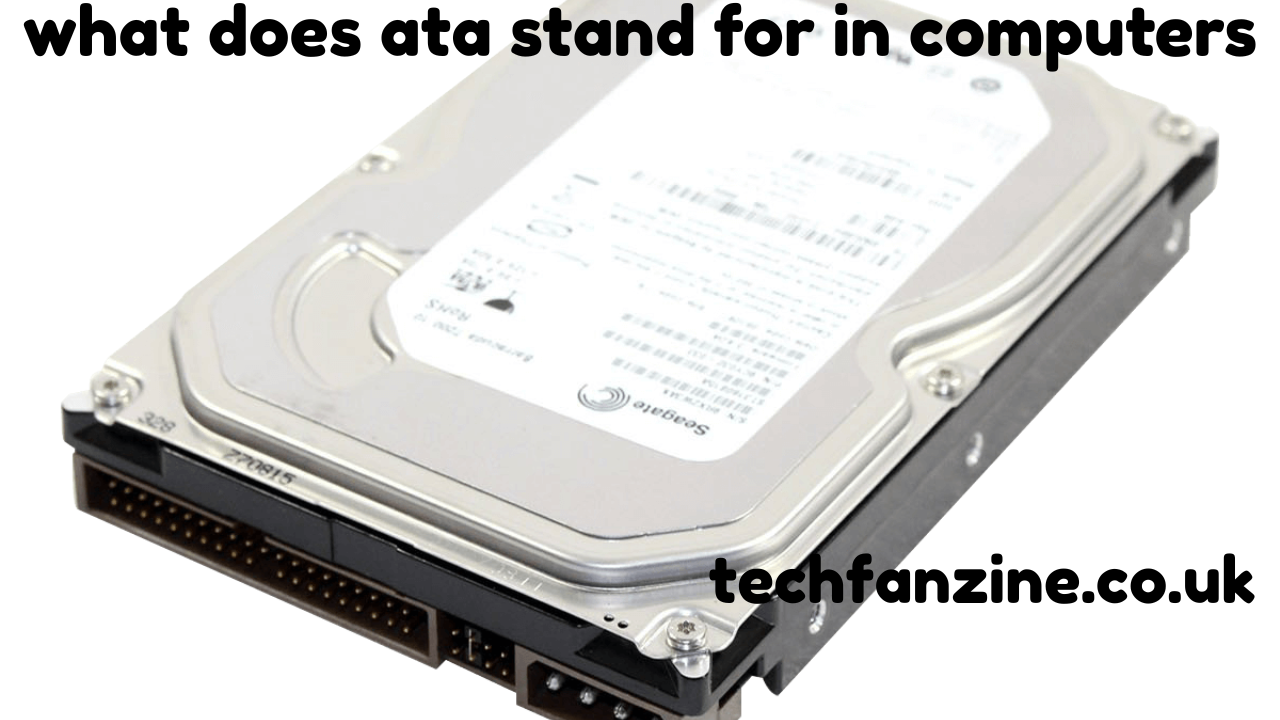
In the world of computers, various acronyms often cause confusion for both beginners and experienced users. One such commonly asked question is “what does ATA stand for in computers”. Understanding ATA is crucial because it relates to how data is stored and accessed within a computer system. This article explores ATA in detail, covering its full form, types, functionality, and evolution over time.
The Full Form of ATA in Computers

ATA stands for Advanced Technology Attachment. It is a standard interface used for connecting storage devices such as hard drives, solid-state drives, and optical drives to a computer’s motherboard. Introduced in the 1980s, ATA was designed to improve data transfer rates and simplify the process of integrating storage devices into personal computers. The term ATA often appears alongside another acronym, IDE (Integrated Drive Electronics), since both are closely related technologies.
ATA’s primary purpose is to define the method by which storage devices communicate with the system’s central processing unit (CPU). It provides both the physical interface, including the cables and connectors, and the command set used to manage read/write operations. By standardizing these processes, ATA ensures compatibility among devices and allows manufacturers to create storage hardware that can work with a wide range of systems.
Historical Background of ATA

The development of ATA began in the early 1980s as personal computers started requiring faster and more reliable storage solutions. IBM computers initially used different proprietary interfaces, making it difficult for users to upgrade or replace hard drives. The introduction of ATA standardized the interface and simplified drive installation.
The first ATA standard, later known as Parallel ATA (PATA), allowed for connecting one or two storage devices per channel and provided data transfer speeds up to 16 megabytes per second. Over the years, PATA underwent multiple revisions, significantly improving its speed and reliability.
Parallel ATA (PATA) Explained
Parallel ATA, or PATA, is the original form of ATA technology. It uses a parallel signaling method, meaning multiple bits of data are transmitted simultaneously over a wide ribbon cable. A typical PATA ribbon cable has 40 or 80 wires, connecting the motherboard to the storage device.
One limitation of PATA is the cable length, which is usually restricted to 18 inches, limiting flexibility in larger computer cases. PATA devices also use a master-slave configuration, meaning two drives can share the same cable but must be configured with jumpers to designate which drive is the master and which is the slave. Despite these limitations, PATA was widely used for decades due to its simplicity and reliability.
Serial ATA (SATA) – The Modern Evolution
As technology progressed, Serial ATA (SATA) emerged as the successor to PATA. While both are part of the ATA family, SATA uses serial signaling instead of parallel. This allows for higher data transfer speeds, longer cable lengths, and easier cable management.
SATA has become the standard for modern desktop and laptop storage devices. It supports features such as hot-swapping, which allows users to connect or remove drives without shutting down the system. SATA interfaces come in multiple versions, including SATA I (1.5 Gbps), SATA II (3 Gbps), and SATA III (6 Gbps), providing improved performance with each iteration.
The Role of ATA in Computer Performance
Understanding what does ATA stand for in computers is important because the type of ATA interface directly impacts system performance. A faster interface means quicker data transfer between the storage device and CPU, which in turn improves system responsiveness and reduces loading times.
For example, a computer using a PATA hard drive will have slower boot times and longer file transfer durations compared to a system with a SATA III SSD. Additionally, ATA standards influence compatibility; older motherboards may only support PATA, whereas newer systems are designed for SATA.
Key Features of ATA Technology
ATA technology, whether PATA or SATA, has several defining features:
- Standardized Command Set – ATA devices use a common set of commands to read, write, and manage data, ensuring interoperability.
- Device Identification – Each ATA device provides detailed information about its capacity, model, and capabilities to the system.
- Data Integrity Checks – ATA protocols include error checking mechanisms to ensure that data is transferred accurately.
- Support for Multiple Devices – PATA allows two devices per channel, while SATA supports one device per port but multiple ports on a motherboard.
These features have made ATA a reliable and enduring technology in computer storage systems.
Differences Between PATA and SATA
While both PATA and SATA are forms of ATA, they differ in several key aspects:
| Feature | PATA | SATA |
|---|---|---|
| Data Transfer Method | Parallel | Serial |
| Maximum Speed | 133 MB/s | 600 MB/s (SATA III) |
| Cable Type | Ribbon cable | Thin, flexible cable |
| Maximum Devices per Channel | 2 | 1 per port |
| Hot-Swapping | Not supported | Supported |
| Cable Length | Up to 18 inches | Up to 1 meter |
These differences highlight why SATA replaced PATA in modern systems, although both still share the ATA heritage.
Common Questions About ATA
Many computer users wonder about ATA’s relevance today. Some common questions include:
- Is ATA the same as IDE?
Yes, ATA and IDE are often used interchangeably, though IDE originally referred to the integration of the controller on the drive itself, while ATA is the interface standard. - Can modern systems use PATA devices?
Many modern motherboards no longer include PATA ports, but adapters and legacy controllers can still enable compatibility. - Does ATA affect SSDs?
ATA is relevant for both HDDs and SSDs, as it defines how the storage communicates with the motherboard. SATA SSDs have largely replaced PATA HDDs due to speed advantages.
Future of ATA Technology
Even though newer storage technologies like NVMe over PCIe offer far higher speeds than SATA, ATA remains important in understanding computer storage architecture. SATA drives are still widely used due to affordability, capacity, and compatibility. Understanding what does ATA stand for in computers helps users make informed decisions when upgrading or building systems.
Conclusion
In summary, ATA, or Advanced Technology Attachment, is a fundamental computer storage interface that has evolved over decades from PATA to SATA. It defines how storage devices communicate with the computer, influencing speed, reliability, and compatibility. Knowing what does ATA stand for in computers not only clarifies an essential computing term but also provides insight into the performance and design of modern computer systems.